> ## Documentation Index
> Fetch the complete documentation index at: https://docs.httpmon.dev/llms.txt
> Use this file to discover all available pages before exploring further.
# Process identification
> See which OS process initiated each proxied request
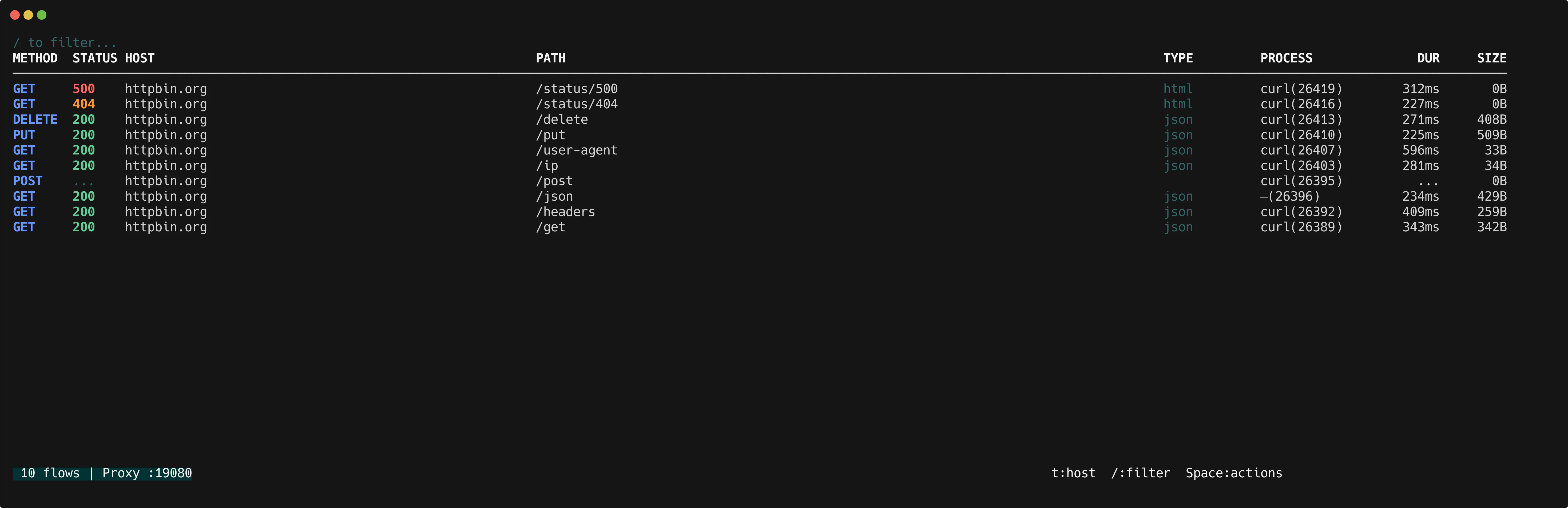
httpmon identifies the operating system process behind each proxied request. The PROCESS column in the flow list shows the process name and PID, so you can tell at a glance whether a request came from `curl`, `Chrome`, `Safari`, or your own application.
 ## How it works
When a request arrives, httpmon looks up which process owns the client connection's local port. The lookup runs asynchronously so it never slows down the proxy. Results are cached per PID to avoid repeated lookups.
If the process exits before resolution completes, or if permissions are insufficient, the column displays an em-dash (`—`).
On macOS and Linux, process resolution may require elevated permissions. If you see `—` for every flow, try running httpmon with `sudo`.
## Process column
The flow list includes a PROCESS column showing `name(pid)` for each flow.
| Display | Meaning |
| ------------ | --------------------------------------------- |
| `curl(1234)` | Process name and PID |
| `—` | Resolution failed or insufficient permissions |
## Group by process
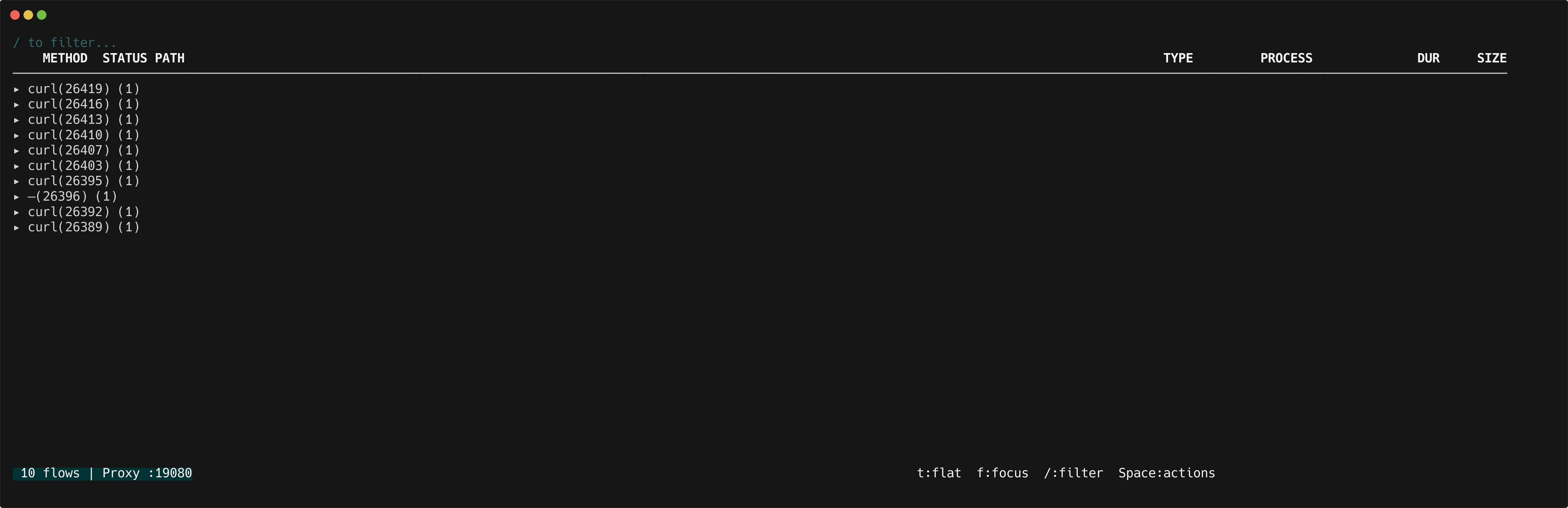
Press `t` to cycle through grouping modes: **flat** → **host** → **process** → **flat**.
In process grouping mode, flows are grouped by process name and PID. Each group header shows the process identifier and the number of flows.
## How it works
When a request arrives, httpmon looks up which process owns the client connection's local port. The lookup runs asynchronously so it never slows down the proxy. Results are cached per PID to avoid repeated lookups.
If the process exits before resolution completes, or if permissions are insufficient, the column displays an em-dash (`—`).
On macOS and Linux, process resolution may require elevated permissions. If you see `—` for every flow, try running httpmon with `sudo`.
## Process column
The flow list includes a PROCESS column showing `name(pid)` for each flow.
| Display | Meaning |
| ------------ | --------------------------------------------- |
| `curl(1234)` | Process name and PID |
| `—` | Resolution failed or insufficient permissions |
## Group by process
Press `t` to cycle through grouping modes: **flat** → **host** → **process** → **flat**.
In process grouping mode, flows are grouped by process name and PID. Each group header shows the process identifier and the number of flows.
 | Key | Action |
| ----------------- | ------------------------------------- |
| `t` | Cycle grouping: flat → host → process |
| `l` / Right arrow | Expand process group |
| `h` / Left arrow | Collapse process group |
| `f` | Focus on a single process group |
## Detail view
The [detail inspector](/features/flow-details) shows a **Process** section with the full command line that initiated the request.
| Key | Action |
| ----------------- | ------------------------------------- |
| `t` | Cycle grouping: flat → host → process |
| `l` / Right arrow | Expand process group |
| `h` / Left arrow | Collapse process group |
| `f` | Focus on a single process group |
## Detail view
The [detail inspector](/features/flow-details) shows a **Process** section with the full command line that initiated the request.
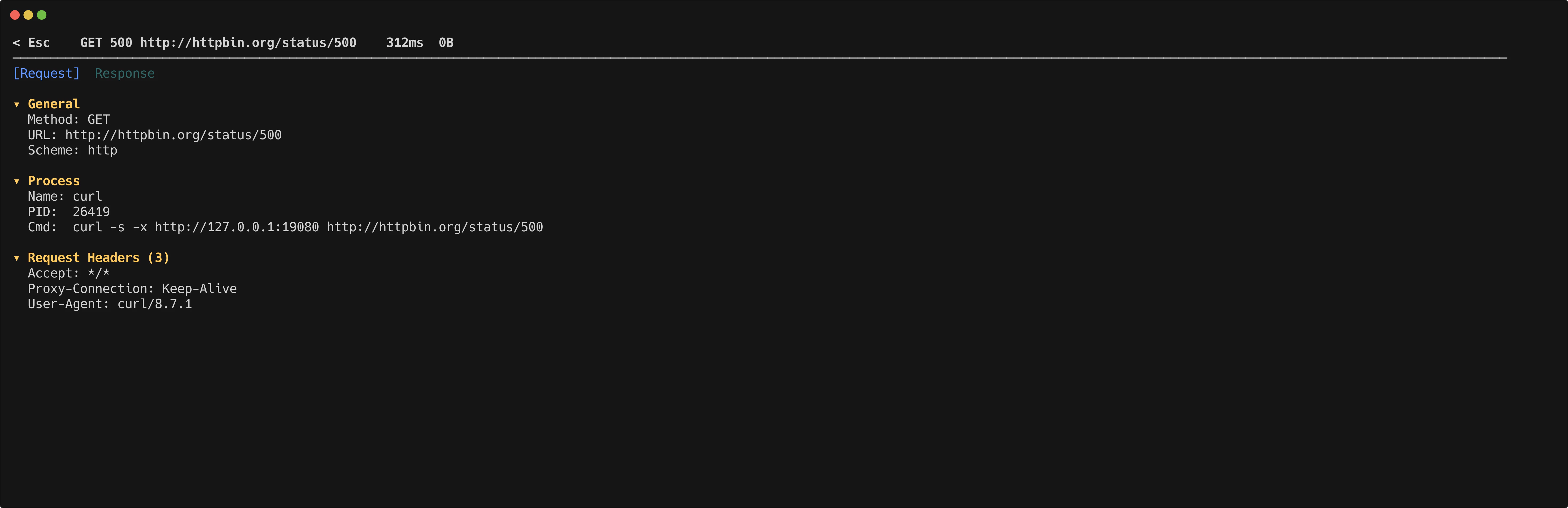 | Field | Description |
| ----- | ----------------------------------------------- |
| Name | Process executable name |
| PID | Process ID |
| Cmd | Full command line (truncated at 100 characters) |
## Supported platforms
| Platform | Method |
| -------- | ------------------------------- |
| macOS | System calls via gopsutil |
| Linux | `/proc` filesystem via gopsutil |
| Field | Description |
| ----- | ----------------------------------------------- |
| Name | Process executable name |
| PID | Process ID |
| Cmd | Full command line (truncated at 100 characters) |
## Supported platforms
| Platform | Method |
| -------- | ------------------------------- |
| macOS | System calls via gopsutil |
| Linux | `/proc` filesystem via gopsutil |