> ## Documentation Index
> Fetch the complete documentation index at: https://docs.httpmon.dev/llms.txt
> Use this file to discover all available pages before exploring further.
# Filtering
> Quick and advanced filter expressions for flows
httpmon provides both quick substring filtering and advanced filter expressions to narrow down captured flows.
 ## Quick filter
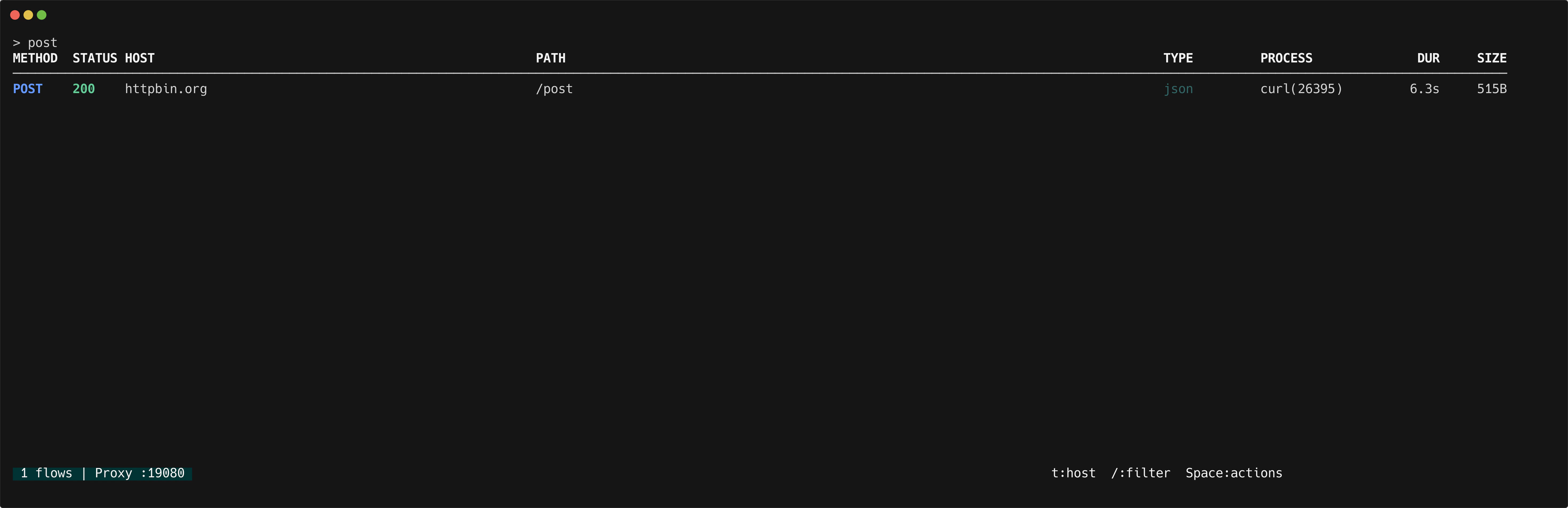
Press `/` in the flow list to focus the filter bar. Type any text to perform a case-insensitive substring match against the host and path of each flow.
## Advanced filter expressions
For more precise filtering, use structured expressions. Separate multiple terms with spaces to combine them with AND logic.
| Expression | Description |
| ------------ | --------------------------------- |
| `s:200` | Exact status code |
| `s:2xx` | Status code range (2xx, 4xx, 5xx) |
| `m:GET` | HTTP method |
| `m:POST` | HTTP method |
| `ct:json` | Content-type contains substring |
| `ct:html` | Content-type contains substring |
| `re:pattern` | Regex match on host+path |
| `!term` | Negate any filter term |
## Examples
Filter all successful GET requests:
```
s:2xx m:GET
```
Filter JSON responses, excluding client errors:
```
ct:json !s:4xx
```
Filter URLs matching a regex pattern:
```
re:api/v[23]
```
## Learn more
See the [filter syntax reference](/reference/filter-syntax) for the full list of operators and pattern rules.
## Quick filter
Press `/` in the flow list to focus the filter bar. Type any text to perform a case-insensitive substring match against the host and path of each flow.
## Advanced filter expressions
For more precise filtering, use structured expressions. Separate multiple terms with spaces to combine them with AND logic.
| Expression | Description |
| ------------ | --------------------------------- |
| `s:200` | Exact status code |
| `s:2xx` | Status code range (2xx, 4xx, 5xx) |
| `m:GET` | HTTP method |
| `m:POST` | HTTP method |
| `ct:json` | Content-type contains substring |
| `ct:html` | Content-type contains substring |
| `re:pattern` | Regex match on host+path |
| `!term` | Negate any filter term |
## Examples
Filter all successful GET requests:
```
s:2xx m:GET
```
Filter JSON responses, excluding client errors:
```
ct:json !s:4xx
```
Filter URLs matching a regex pattern:
```
re:api/v[23]
```
## Learn more
See the [filter syntax reference](/reference/filter-syntax) for the full list of operators and pattern rules.